
Shipment gross weight is the mass of the products together with the pallets and any additional packaging included in the shipment. Build it from the same product and pallet counts that will be tendered, then check whether packaging has already been included in the unit weight.
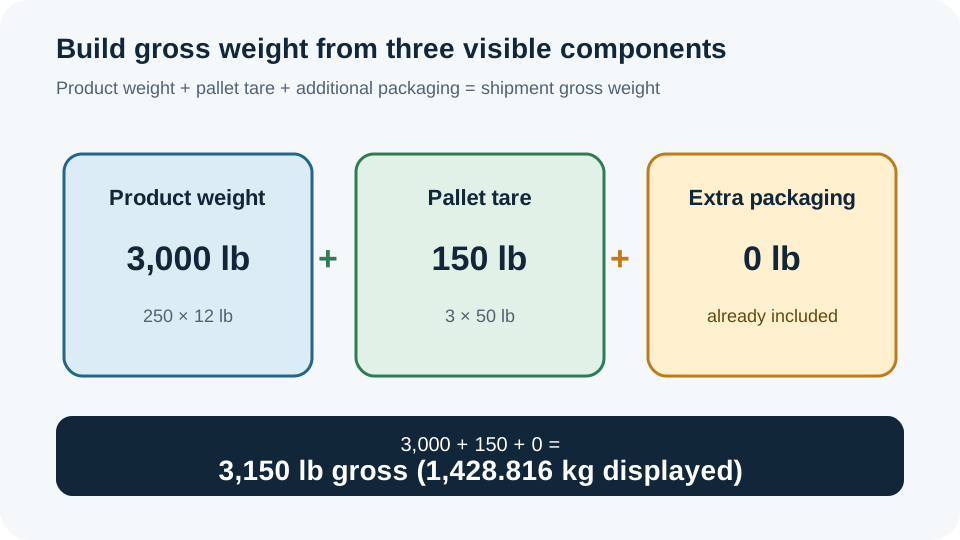
For 250 products at 12 lb each, 3 pallets at 50 lb tare each, and no additional packaging, the result is 3,150 lb gross. The calculator also displays the unrounded metric conversion as 1,428.816 kg after display rounding.
This guide addresses shipment mass only. It does not decide vehicle payload, axle load, pallet structural capacity or a carrier's billed weight.
Build the product weight
Start with one or more product lines. The quantity and unit weight in each line must describe the same unit. If the unit weight already includes the product carton or other packaging, do not add that same packaging again in the extra-packing field.
- Enter product units.Use a whole, nonnegative quantity for each line.
- Enter the matching unit weight.Use pounds in U.S. mode or kilograms in metric mode. Keep the basis consistent within each line.
- Add separate lines for different unit weights.The calculator sums each line's quantity multiplied by its unit weight.
Product weight = sum(product quantity × unit weight)Add pallet tare and extra packaging
Enter the number of pallets, the tare of one empty pallet and only the packaging weight that is outside the unit weights. The calculator assumes the entered pallets have the same tare.
Pallet tare total = pallet count × tare per palletGross weight = product weight + pallet tare total + additional packagingWorked example: 3,150 lb gross
| Component | Input or calculation | Result |
|---|---|---|
| Product weight | 250 × 12 lb | 3,000 lb |
| Pallet tare | 3 × 50 lb | 150 lb |
| Additional packaging | Entered value | 0 lb |
| Shipment gross weight | 3,000 + 150 + 0 | 3,150 lb |
The independent metric calculation is 3,150 × 0.45359237 = 1,428.8159655 kg. The calculator keeps the unrounded value for the conversion and displays 1,428.816 kg.
Check the gross-weight basis
| Unit-weight basis | Extra packaging input | Why |
|---|---|---|
| Product only | Add packaging weight | The unit weight excludes that packaging. |
| Product plus carton | Leave carton weight out | Adding it again would double count. |
| Product plus all unit packaging | Add only remaining shipment packaging | Use the extra field for packaging outside the unit basis. |
For example, if the 12 lb unit weight already includes the product carton, the zero extra-packing input is correct for the worked example. If a separate 30 lb wrap or blocking package is added, the gross result becomes 3,180 lb, with the same product and tare calculations.
Compare the components before using the total
| Scenario | Product | Tare | Extra packaging | Gross |
|---|---|---|---|---|
| Worked example | 3,000 lb | 150 lb | 0 lb | 3,150 lb |
| Add 30 lb shipment packaging | 3,000 lb | 150 lb | 30 lb | 3,180 lb |
| Use 4 pallets at same tare | 3,000 lb | 200 lb | 0 lb | 3,200 lb |
These comparisons are arithmetic consequences of the entered assumptions. They do not establish that the shipment needs four pallets or that a particular packaging method is suitable.
Use the shipment gross weight calculator
Enter product lines first, then add tare per pallet and only packaging that is not already included. Review the four result lines—gross weight, product weight, pallet tare total and additional packaging—before copying the total into a shipping record.
If the pallet count comes from an order remainder, calculate it with the pallet quantity calculator first, then use that count here.
FAQs
Is pallet tare the same as a pallet load rating?
No. Tare is the measured empty pallet weight used in this arithmetic. A load rating is a separate constraint.
Does the result prove a truck can carry the shipment?
No. The result is shipment mass. Vehicle payload, axle distribution and other operating limits require separate checks.